Home › Articles › Best-Selling Calculators
The 5 Best-Selling Calculators on Amazon (Reviewed & Ranked, 2026)
Amazon's calculator best-seller list is not a meritocracy. It's a mirror of high-school supply lists, exam board mandates, and decades of institutional inertia. That's good news if you're shopping — the same five models have topped the charts for years, and the math behind "which one should I buy" is genuinely simple once you know what they do differently. Here's a hands-on ranking of all five, what each actually costs in 2026, and where you can pay half as much and still get 90% of the calculator.
Last updated: July 29, 2026. Prices quoted are typical Amazon retail as of late July 2026 and fluctuate with back-to-school demand.
Heads-up: links in this article go to Amazon. We may earn a small commission if you buy, at no extra cost to you. We only recommend hardware we'd put on a desk ourselves.
The quick comparison
If you just want the summary without the deep dive:
| Calculator | Best for | Price |
|---|---|---|
| TI-84 Plus CE | High school / required by teacher | $95–115 |
| TI-30XIIS | No-frills scientific work | $12–16 |
| Casio fx-9750GIII | Graphing without the TI tax | $60–75 |
| BA II Plus Professional | CFA/CPA/finance exams | $45–60 |
| Casio fx-300ES Plus | Algebra students who want textbook display | $10–15 |
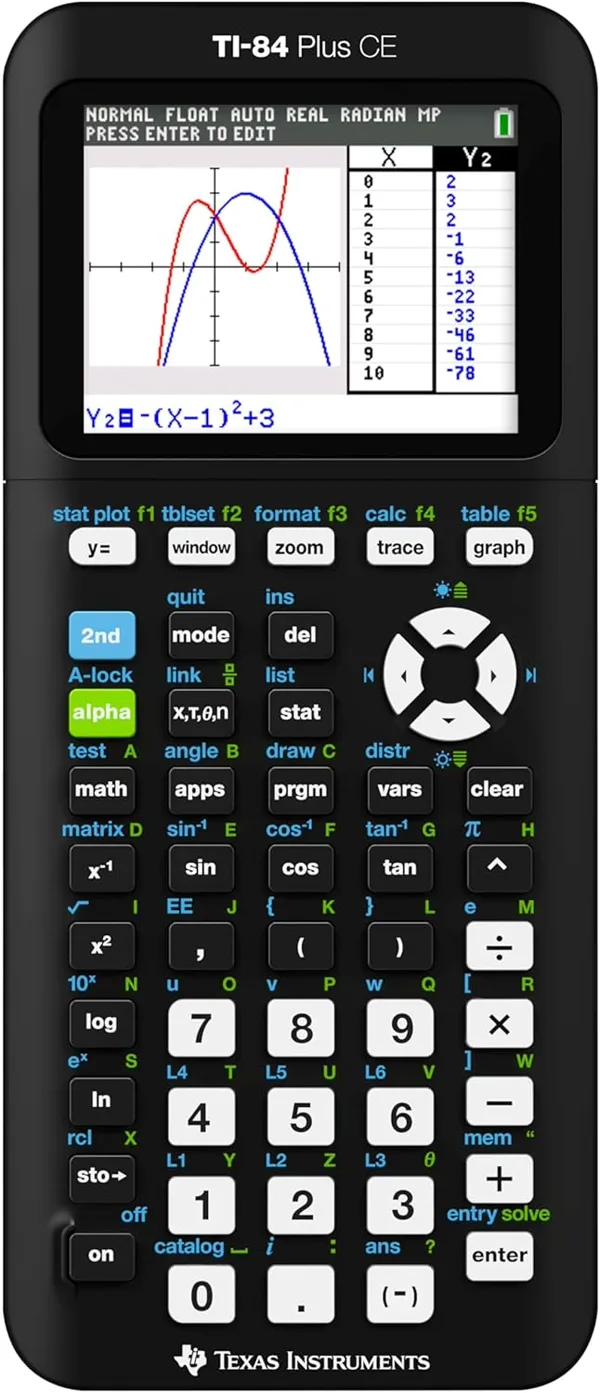
1. Texas Instruments TI-84 Plus CE — the default
$95–115 · Buy on Amazon →
The TI-84 Plus CE is the calculator your school supply list names by model number. It has been the standard for American STEM education since the late 1990s, and the "CE" (Color Edition) refresh added a backlit 320×240 screen and a rechargeable USB battery while keeping the same Z80-era guts that every teacher already knows how to troubleshoot.
Who it is for: Algebra II, Pre-Calculus, AP Calculus, AP Statistics, and introductory college math students — anyone whose class explicitly says "TI-84." Also SAT/ACT test-takers who want a single graphing calculator for both school and the exam.
What you actually get: Color graphing, function tables, matrix ops, statistics, parametric and polar plots, and TI-BASIC programming. The MathPrint display shows fractions and exponents in textbook style. About 3 MB of free storage for apps — room for the full suite of TI apps plus a few student programs.
The catch: The hardware is ancient by any modern standard — 15 MHz processor, screen resolution below a 2005 flip phone, button layout unchanged in twenty years. You're not paying for hardware. You're paying for institutional lock-in. Teachers know it. Test proctors recognize it. Every textbook problem is written for it. That's the product.
Cheaper alternative: The Casio fx-9750GIII (below) does about 90% of what the TI-84 does for less than half the price. The gap: teacher/proctor familiarity, and the specific test-mode LED pattern TI uses on AP exams. If your syllabus says "TI-84 or equivalent," save the money. If it says "TI-84 required," you're stuck.
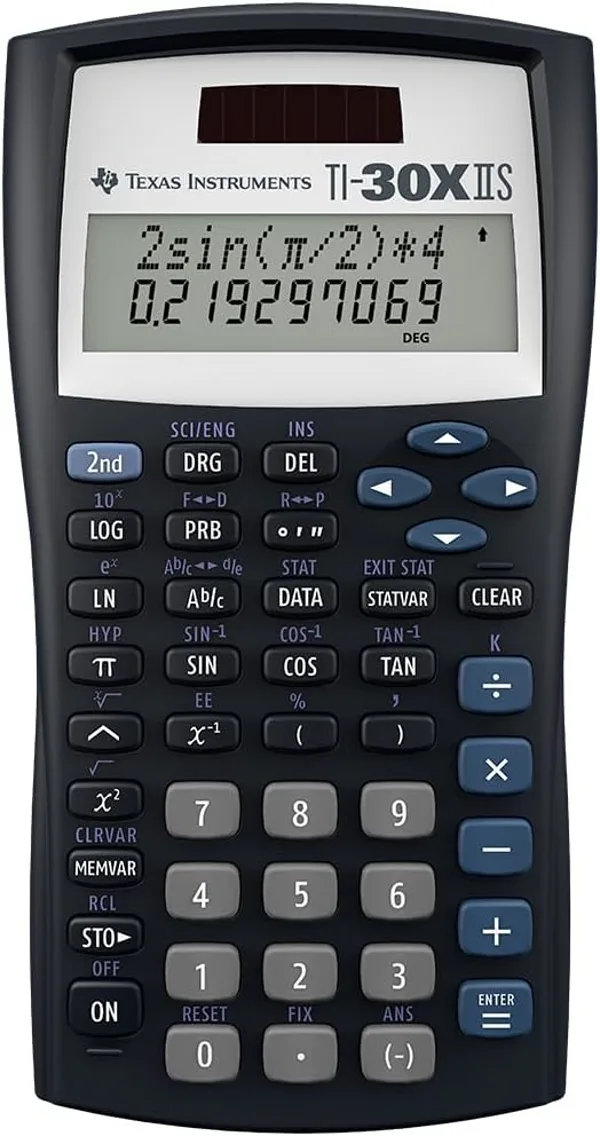
2. Texas Instruments TI-30XIIS — the workhorse
$12–16 · Buy on Amazon →
If you don't need to graph functions, this is the single best $15 you can spend on a math tool. The TI-30XIIS is a two-line scientific calculator that handles fractions, exponents, trigonometry, logarithms, permutations, combinations, and basic statistics. It runs on solar power with a battery backup, which means it works in dim classrooms and literally never needs charging in its multi-decade lifespan.
Who it is for: Middle school through pre-calculus students. SAT/ACT test-takers who don't need graphing. Anyone who wants a reliable desk calculator that will outlive their phone.
What you actually get: Two-line display (previous entry on top, current result on bottom) so you can see the equation and answer together. All the math functions you need through the end of high school. Hard slide-on cover. Ten-year-plus build quality — the buttons on a well-used TI-30XIIS still work as new.
The catch: No symbolic algebra. It won't factor polynomials or simplify radicals — it just evaluates them numerically to ten digits. For most people that's fine. If you want to see √2 displayed as "√2" instead of "1.41421356," the Casio fx-300ES below has you.
Cheaper alternative: Generic four-function calculators at $5–8 exist, but you'll outgrow them by eighth grade and the buttons feel like cheap keyboard membrane. For $7 more, the TI-30XIIS is a twenty-year purchase. Don't optimize here.
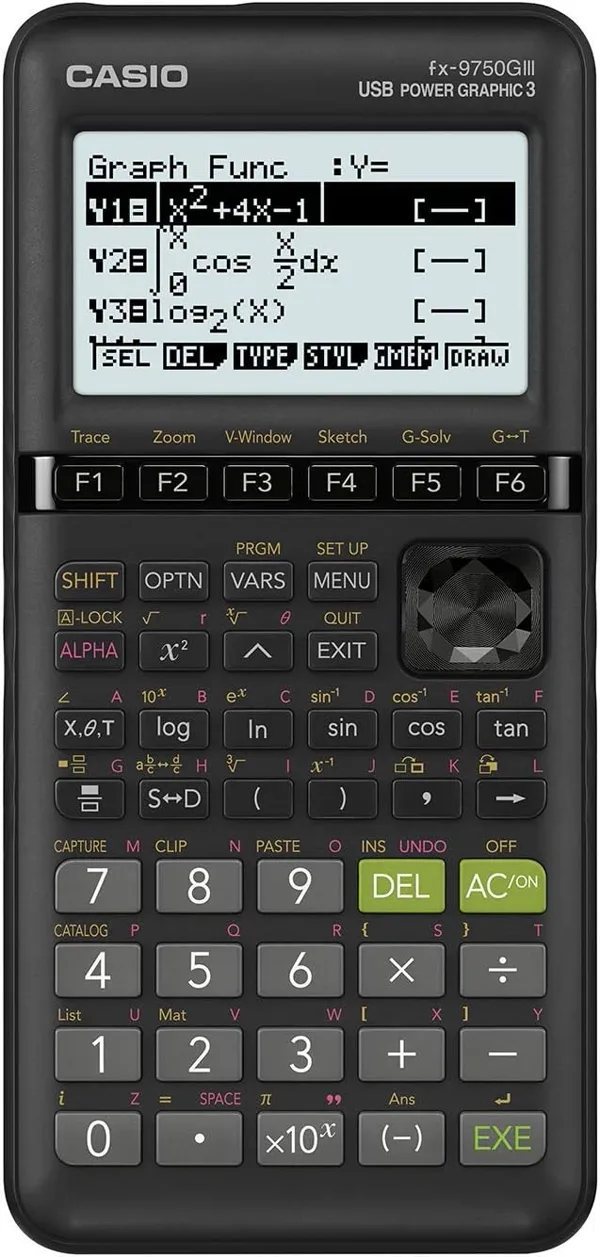
3. Casio fx-9750GIII — the underdog
$60–75 · Buy on Amazon →
Casio's answer to the TI-84 monopoly, and an increasingly confident one. The fx-9750GIII graphs functions, runs real Python (not TI-BASIC — actual MicroPython with a usable editor), and has a faster CPU than the TI. The screen isn't color, but it's high-contrast monochrome that reads beautifully in bright classroom light. The price is less than half the TI-84's.
Who it is for: Students whose syllabus is flexible. Hobbyists who want Python on a pocket device. Self-learners doing AP-level material without school dictating hardware. Anyone who reads a product description and thinks "I don't need color, I need speed."
What you actually get: Graphing, tables, matrix ops, statistics, the full scientific function set, and Python programming. SAT/ACT/PSAT approved. AP-exam approved. Same test-mode LED system the proctors expect. The menu system uses soft keys (F1–F6) that are more discoverable than the TI's nested menus once you adapt.
The catch: Tutorial gravity. If your class is TI-centric and your teacher cannot help you find the stat menu on a Casio, you will struggle in a way that has nothing to do with math. YouTube tutorials skew heavily TI. Also, some standardized-test proctors, despite official approval lists, are more comfortable waving through a TI. If either of those applies, pay the TI tax.
Cheaper alternative: There is no cheaper graphing option that's classroom-grade. Below the fx-9750GIII you're looking at scientific-only calculators. The NumWorks N0110 at $99 is more modern but has near-zero teacher familiarity and isn't on most school supply lists.
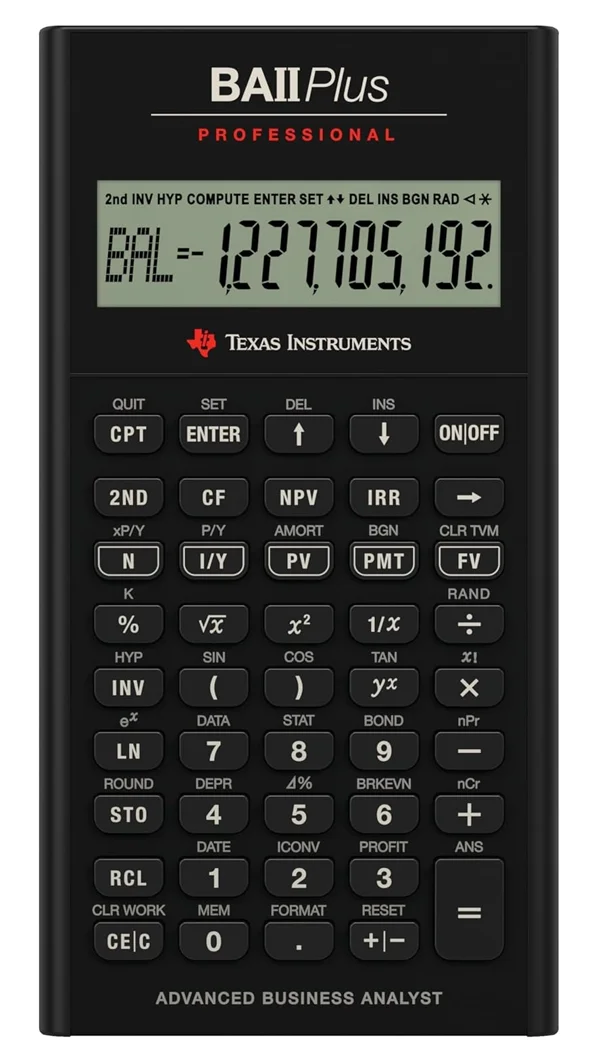
4. Texas Instruments BA II Plus Professional — the finance standard
$45–60 · Buy on Amazon →
This is the calculator you'll see on every CFA exam desk and in most MBA corporate-finance classes. It's purpose-built for time-value-of-money: amortization, NPV, IRR, bond pricing, depreciation schedules, and duration/convexity on the Professional edition specifically. The "Professional" adds a handful of extras over the plain BA II Plus (most usefully: modified duration, payback period, discounted payback), but the standard BA II Plus is fine for most non-CFA uses and costs $20 less.
Who it is for: CFA Levels I, II, and III candidates. CPA exam takers. CFP candidates. Corporate-finance and real-estate students who need keystroke muscle memory under time pressure.
What you actually get: TVM worksheet (N, I/Y, PV, PMT, FV) with one-button-per-variable entry. Cash-flow worksheet with uneven flows. Amortization output. Statistics with linear regression. The metal-and-dark-plastic build has held up through two decades of exam seasons.
The catch: If you're not preparing for a specific timed professional exam, you do not need a dedicated financial calculator. A spreadsheet or a browser-based financial calculator does the same math with more transparency — you can see all your inputs on screen instead of navigating a tiny LCD and memorizing keystroke sequences.
Cheaper alternative: Our free online TVM calculator handles every function on the BA II Plus except the exam-seat muscle memory. For CFA prep, use online tools to learn the concepts cold, then buy the physical BA II Plus Pro two or three weeks before the exam and drill keystroke patterns until they're reflexive. That's the cheapest path to a pass.
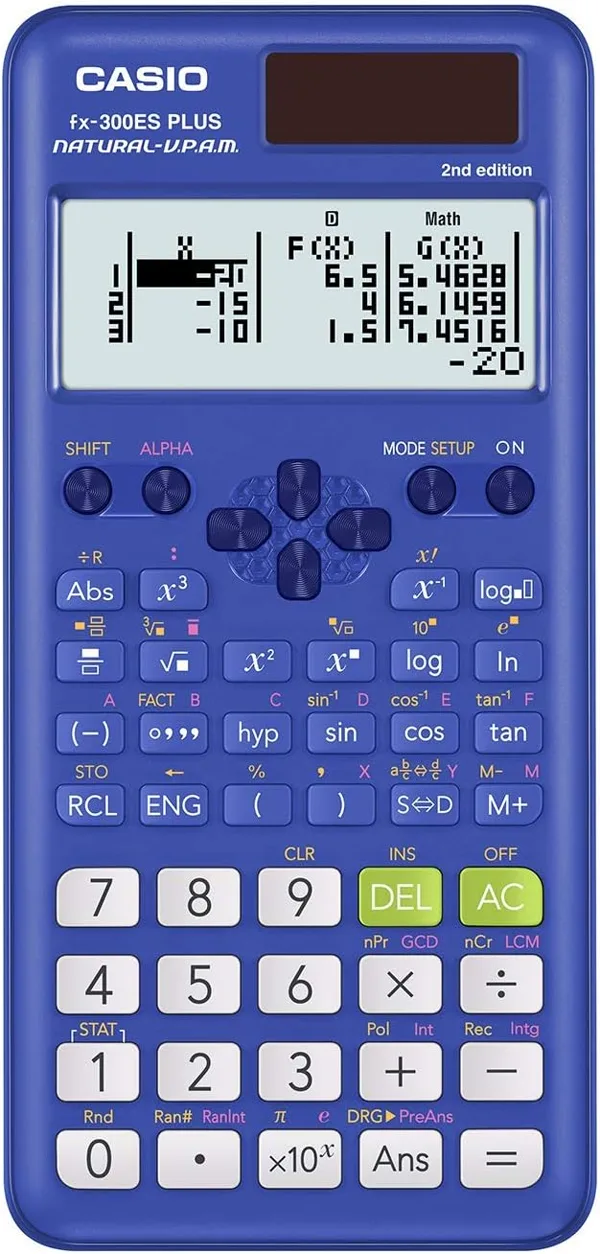
5. Casio fx-300ES Plus 2nd Edition — the algebra companion
$10–15 · Buy on Amazon →
This is the calculator that makes algebra students go oh, that's what that fraction looks like. The fx-300ES Plus uses Casio's Natural-V.P.A.M. display, which renders radicals, fractions, integrals, sigma notation, and pi exactly as they appear in a textbook — not as ugly inline decimals. For anyone learning symbolic math for the first time, that alone is worth the price of admission.
Who it is for: Algebra I/II and pre-calculus students who want to see the math in textbook format. Learners who find "1.41421356" less illuminating than "√2." Anyone who wants to keep answers exact until the very last step, then convert to decimal with one keystroke.
What you actually get: 252 built-in functions, natural textbook display, two-line entry with expression history, fraction ↔ decimal toggle, equation solver, matrix and vector operations. SAT/ACT/PSAT approved. Solar power with a battery backup for dim rooms.
The catch: The natural display is slower to enter complex expressions than the flat-text TI-30XIIS, because every fraction and radical is a little sub-expression you step into. If you're doing heavy numeric work and the display format isn't helping you, the TI-30XIIS is snappier. But for learning, the fx-300ES is the better tool every time.
Cheaper alternative: Below this price point, you lose the natural display entirely. $5–8 generic calculators get you mushy buttons, no fractions-as-fractions, and a two-year life expectancy. The fx-300ES is already at the floor for this kind of quality.
The thing nobody tells you: buy used
Texas Instruments calculators hold their value absurdly well. A five-year-old TI-84 Plus CE still sells for $80–100 on eBay because every August a new crop of parents searches "calculator for high school" and buys whatever the supply list specifies. If you're not sitting a standardized test with a strict device policy, buy used. The hardware genuinely hasn't changed year to year, and the build quality means a five-year-old unit is still good for another five.
For the TI-30XIIS and fx-300ES, used markets aren't worth the hassle — new units are already $15 and you'd pay $10 for a used one shipped. For the TI-84 Plus CE and BA II Plus Professional, used units in good cosmetic condition save 30–40% with zero functional downside. Test the screen and a few keys before you hand over cash, and you're done.
Pick the right one in 30 seconds
- "My school list says TI-84" → TI-84 Plus CE. Don't overthink it.
- "I need a basic scientific for middle school / high school" → TI-30XIIS.
- "I want a graphing calculator but the school doesn't require TI" → Casio fx-9750GIII.
- "I'm sitting the CFA / CPA / CFP" → BA II Plus Professional.
- "I'm learning algebra and want fractions to look like fractions" → Casio fx-300ES Plus 2nd Edition.
How we ranked these
This list is based on Amazon sales-rank data (aggregated across multiple months to smooth out back-to-school spikes), review volume and velocity, and consistent presence in the top of their category over multiple years. The TI-84 Plus CE and TI-30XIIS have been in the top three of their respective categories for more than a decade. The Casio models have climbed steadily as students and parents look for alternatives to TI's pricing. The BA II Plus Professional dominates a smaller niche — finance and accounting — but dominates it completely.
Prices quoted are typical Amazon retail and fluctuate with demand. Expect the TI-84 Plus CE to spike to $110–130 in late August as supply-list demand hits, and drop to $85–100 between January and June.
Frequently asked questions
Can I use my phone instead of buying a calculator?
For homework, yes. For standardized tests, no — the SAT, ACT, AP exams, CFA, CPA, and almost every professional licensure exam ban phones and smart devices entirely. You need a dedicated, non-connected calculator. Even for classroom use, many teachers ban phones to prevent cheating, so you end up needing a physical calculator anyway.
Is a graphing calculator overkill for high school?
For Algebra I and Geometry, yes — a scientific calculator is enough. For Algebra II, Pre-Calculus, AP Calculus, and AP Statistics, a graphing calculator is either required or strongly recommended. Most school districts specify the model by name, so check your course syllabus before buying.
Why are TI calculators so expensive?
Monopoly pricing plus institutional lock-in. Texas Instruments has dominated the American K–12 education market since the 1990s, and their calculators are effectively the mandated standard. They've had no meaningful competition at the policy level, so prices stay high despite the hardware being decades out of date. Casio and NumWorks are starting to chip away at this, but school-district change is slow.
What about the NumWorks or HP Prime calculators?
The NumWorks N0110 is a newer, open-source graphing calculator with a modern Python-based OS and a genuinely cleaner interface. SAT/ACT approved and about $99 — cheaper than the TI-84. The downside is near-zero teacher familiarity and limited textbook support. Great for self-learners and coding-adjacent students, risky if your class is built around TI-84 screenshots. The HP Prime G2 is technically the most powerful graphing calculator on the market (CAS, touchscreen, 400 MHz ARM), but at $150+ and with even less teacher adoption than Casio, it's an enthusiast pick rather than a mainstream one.
Is there a calculator that does symbolic algebra?
You want a CAS (Computer Algebra System) calculator. The TI-Nspire CX II CAS does it but is banned on the ACT and some state standardized tests. The HP Prime also has CAS. Most classrooms specifically ban CAS calculators during tests. For non-exam use, free online tools like Wolfram Alpha or SymPy do everything a CAS calculator does and more, without the $180 price tag.
Try the math yourself first
Before you commit to any calculator, run the numbers on the thing you think you'll actually do with it. If you want to see how amortization works end-to-end, try our financial calculator. If you want to graph a function and see what changing a coefficient does to the curve, spin up the graphing calculator. Understanding what the hardware does before you buy it is the single best way to avoid spending $100+ on features you'll never touch.
Prices and availability are subject to change. This article contains affiliate links — we may earn a commission at no extra cost to you if you buy through them. We only recommend products we'd be comfortable using ourselves, and the rankings are based on real Amazon sales data, not sponsorship.